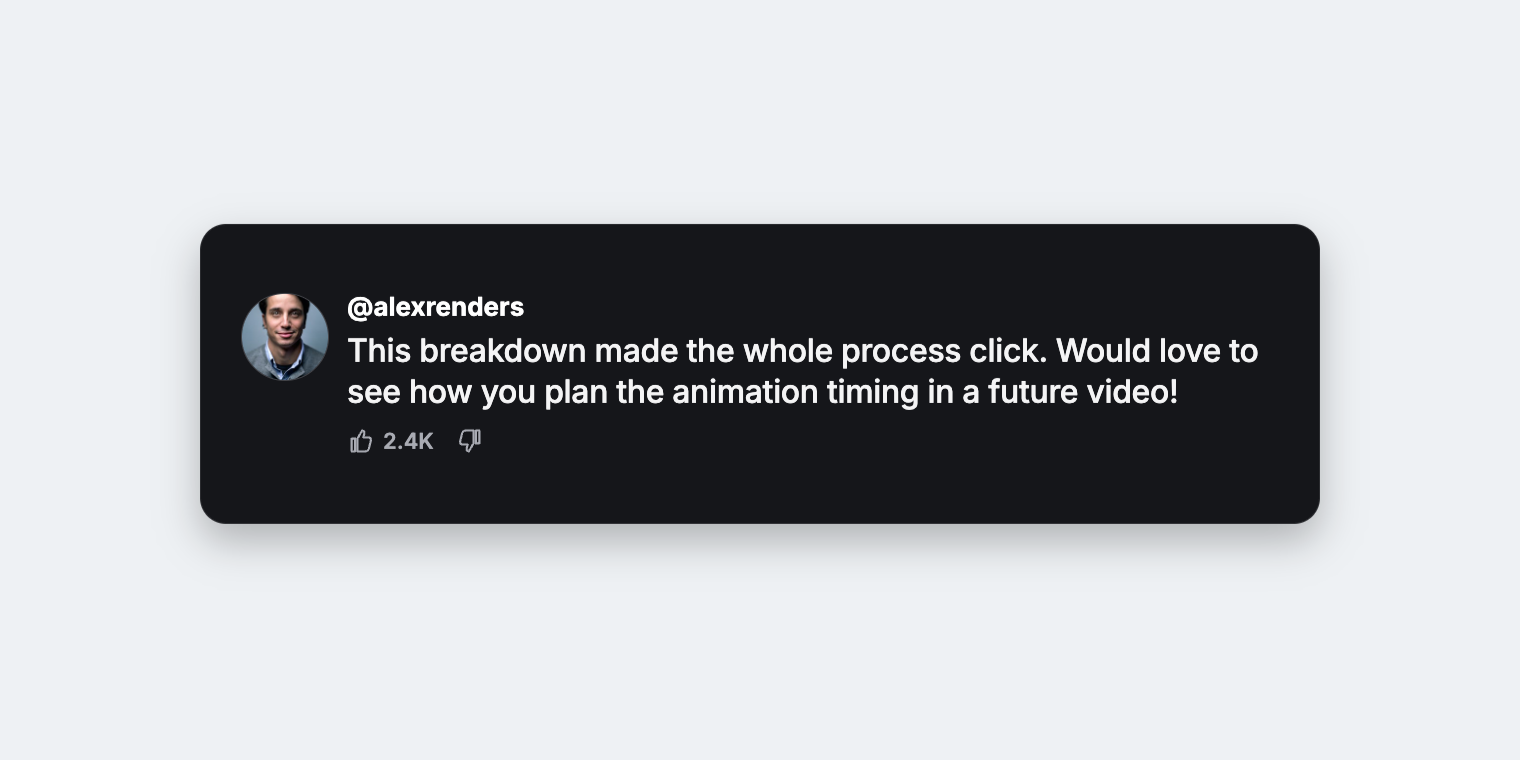
youtube-comment-highlight.tsx
import {loadFont} from '@remotion/google-fonts/Inter';
import React from 'react';
import {
CanvasImage,
Easing,
Interactive,
interpolate,
useCurrentFrame,
} from 'remotion';
loadFont('normal', {
subsets: ['latin'],
weights: ['500', '600', '700'],
});
export const YouTubeCommentHighlight: React.FC = () => {
const frame = useCurrentFrame();
return (
<div
style={{
height: 360,
perspective: 1500,
perspectiveOrigin: '50% 50%',
position: 'relative',
width: 1120,
}}
>
<div
style={{
backfaceVisibility: 'hidden',
height: 300,
left: 0,
position: 'absolute',
rotate: interpolate(
frame,
[0, 90, 180, 270],
['y -10deg', 'y 5deg', 'y -5deg', 'y 5deg'],
{
easing: Easing.inOut(Easing.sin),
extrapolateLeft: 'clamp',
extrapolateRight: 'clamp',
},
),
top: 30,
transformOrigin: '50% 50%',
translate: interpolate(
frame,
[0, 48, 131, 179],
['0px 760px', '0px 0px', '0px 0px', '0px 760px'],
{
easing: [
Easing.spring({
allowTail: true,
damping: 14,
durationRestThreshold: 0.01,
mass: 0.8,
overshootClamping: false,
stiffness: 110,
}),
Easing.linear,
Easing.out(
Easing.spring({
damping: 14,
mass: 0.8,
overshootClamping: false,
stiffness: 110,
}),
),
],
extrapolateLeft: 'clamp',
extrapolateRight: 'clamp',
},
),
width: 1120,
}}
>
<Interactive.Div
name="Container"
style={{
alignContent: 'center',
backgroundColor: '#15161a',
border: '1px solid rgba(255, 255, 255, 0.09)',
borderRadius: 26,
boxShadow: '0 18px 40px rgba(0, 0, 0, 0.26)',
boxSizing: 'border-box',
columnGap: 18,
display: 'grid',
gridTemplateColumns: '88px minmax(0, 1fr)',
height: '100%',
padding: '24px 40px',
translate: '0px 0px',
width: '100%',
}}
>
<>
<CanvasImage
fit="cover"
height={88}
name="Author avatar"
src="https://images.unsplash.com/photo-1500648767791-00dcc994a43e?fit=crop&w=176&h=176&q=80&fm=jpg"
style={{
backgroundColor: '#2a2b31',
border: '1px solid rgba(255, 255, 255, 0.12)',
borderRadius: 999,
boxSizing: 'border-box',
display: 'block',
gridColumn: 1,
gridRow: 1,
height: 88,
width: 88,
}}
width={88}
/>
<div
style={{
gridColumn: 2,
gridRow: 1,
minWidth: 0,
}}
>
<div
style={{
alignItems: 'baseline',
display: 'flex',
gap: 12,
}}
>
<Interactive.Span
name="Author handle"
style={{
color: '#ffffff',
fontFamily: 'Inter',
fontSize: 26,
fontWeight: 700,
lineHeight: 1.1,
}}
>
@alexrenders
</Interactive.Span>
</div>
<Interactive.Div
name="Comment"
style={{
color: '#f4f4f5',
fontFamily: 'Inter',
fontSize: 32,
fontWeight: 500,
letterSpacing: -0.35,
lineHeight: 1.3,
marginTop: 8,
overflowWrap: 'anywhere',
}}
>
This breakdown made the whole process click. Would love to see
how you plan the animation timing in a future video!
</Interactive.Div>
<div
style={{
alignItems: 'center',
color: '#a9abb3',
display: 'flex',
fontFamily: 'Inter',
fontSize: 22,
fontWeight: 600,
gap: 22,
lineHeight: 1,
marginTop: 14,
}}
>
<div
style={{
alignItems: 'center',
display: 'flex',
gap: 8,
}}
>
<svg
aria-hidden="true"
height="28"
viewBox="0 0 24 24"
width="28"
>
<path
d="M7 10v11H4V10Zm2 11V10l4-7c1.4.2 2.2 1.5 1.8 2.8L14 9h4.5c1.3 0 2.3 1.2 2 2.5l-1.7 7A3.3 3.3 0 0 1 15.6 21Z"
fill="none"
stroke="currentColor"
strokeLinejoin="round"
strokeWidth="1.8"
/>
</svg>
<Interactive.Span name="Like count">2.4K</Interactive.Span>
</div>
<svg
aria-hidden="true"
height="28"
style={{rotate: '180deg'}}
viewBox="0 0 24 24"
width="28"
>
<path
d="M7 10v11H4V10Zm2 11V10l4-7c1.4.2 2.2 1.5 1.8 2.8L14 9h4.5c1.3 0 2.3 1.2 2 2.5l-1.7 7A3.3 3.3 0 0 1 15.6 21Z"
fill="none"
stroke="currentColor"
strokeLinejoin="round"
strokeWidth="1.8"
/>
</svg>
</div>
</div>
</>
</Interactive.Div>
</div>
</div>
);
};