---
image: /generated/articles-docs-studio-studio.png
title: Starting the Studio
crumb: 'Timeline basics'
---
import Tabs from '@theme/Tabs';
import TabItem from '@theme/TabItem';
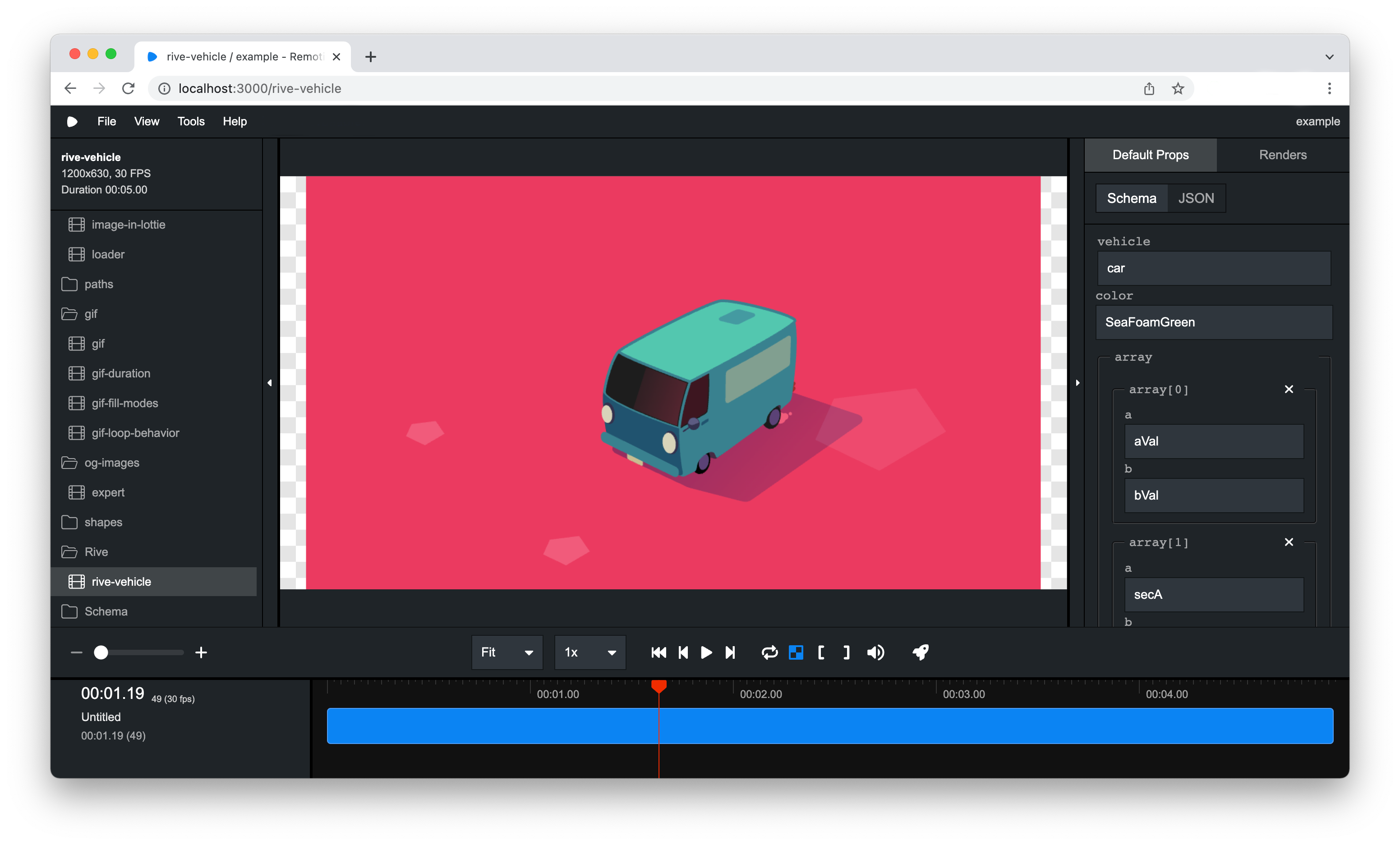
Using the Remotion Studio, you can preview your video, and if a server is connected, even render the video.
## Prerequisites
The Remotion CLI is required for this guide.
Most templates have it out of the box, but you can install it by running the following command in your terminal:
```bash
npm i @remotion/cli
```
```bash
pnpm i @remotion/cli
```
```bash
yarn add @remotion/cli
```
```bash
bun i @remotion/cli
```
## Launching the Studio
You can start the Remotion Studio by running the following command in your terminal:
```bash
npm start
```
```bash
npm run remotion
```
This is a shorthand for the [`studio`](/docs/cli/studio) command of the [Remotion CLI](/docs/cli):
```bash
npx remotion studio
```
See the available [options here](/docs/cli/studio).
A server will be started on port `3000` (or a higher port if it isn't available) and the Remotion Studio should open in the browser.
 ## Browse Elements
You can [browse and use Elements directly inside Studio](/docs/studio/browse-elements). Browse Elements includes the first-party [Remotion Elements](/elements) and can include [third-party Element Libraries](/elements/libraries).
## Browse Elements
You can [browse and use Elements directly inside Studio](/docs/studio/browse-elements). Browse Elements includes the first-party [Remotion Elements](/elements) and can include [third-party Element Libraries](/elements/libraries).