Import from Figmav4.0.495
There are two ways to import layers from Figma into Remotion Studio.
Copy as SVG
This is the more reliable method. Right-click a layer and select Copy/Paste as → Copy as SVG.
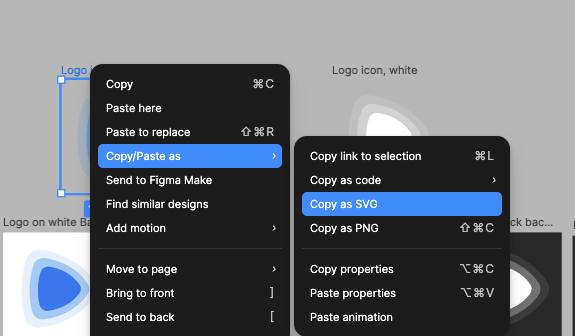
Paste the copied layer into Remotion Studio.
Copy layer directly
You can also copy a layer directly and paste it into Remotion Studio.
Only some layer types are supported. Images are a notable exclusion.
Copy into code
You can also copy SVG into Remotion markup.
Copy SVG as described above and run it through an SVG to JSX converter. Then paste the result into the React markup that powers your Remotion video.